Menus

Menus that are always ready to order.

Create menus, manage items, publish updates, and send orders straight to your terminal.Create Menu
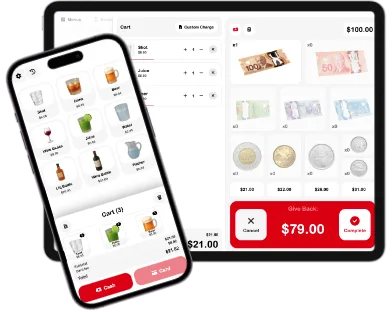
Terminal menu interface
M
MenusManage your menus and items.
Search menus...
Menus + Items

Your menu, your items, always in sync.

Brunch

12 active items

Live

Bar

Draft changes

Draft

Catering

Ready to export

Export
01

Create

Build the menu structure.

02

Add

Attach items, images, and categories.

03

Publish

Preview and save changes.

04

Serve

Send orders to terminal.

Menu Dashboard

Update the menu in one place.

Edit items, arrange categories, adjust settings, and save changes from a focused menu dashboard.
Item grid
Category filters
Settings
Save changes

Items

Create once. Use anywhere.

Build item cards with names, images, and details, then reuse them across menus.
Create item
Add images
Duplicate menu
Reusable catalog

Terminal

Orders go where work happens.

Send menu orders to terminal with receipt printing, cash drawer, and customer display support.
Order details
Print receipts
Cash drawer
Customer display

Menus

A menu that keeps up.

Items, categories, updates, exports, and terminal orders, all working together.
Open SRVZr